 ChipApex | Global Electronic Components Supplier
SEARCH
Search Product
Search Post
— IC芯片 | 连接器 | 传感器 | 被动器件 —
Search productSearch post
— IC芯片 | 连接器 | 传感器 | 被动器件 —
The trend of science and technology is changing rapidly.
In embedded design, the tug-of-war between cost and performance is constant. On one side, you have Microcontrollers (MCUs)—cheap, simple, and efficient. On the other, the heavy lifters: Microprocessor Units (MPUs).
If your product requires a Graphical User Interface (GUI), runs an OS like Linux or Android, or crunches complex algorithms, an MCU hits a wall. You need an MPU.
But navigating the MPU landscape—dominated by giants like NXP, TI, and ST—isn’t just about picking the fastest clock speed. This guide breaks down what an MPU actually is, how it differs from the MCU you likely know, and how to select the right processor for high-performance applications without over-engineering your BOM.
An MPU (Microprocessor Unit) is a central processing unit (CPU) on a single integrated circuit. Unlike an MCU—a “System on a Chip” with CPU, RAM, and Flash built-in—an MPU is just the brain.
It needs external components to function:
The Core Distinction:
Think of an MCU as a Swiss Army Knife—it has everything built-in for simple tasks. An MPU is like a high-end desktop PC—it needs a motherboard, separate RAM, and a hard drive, but it runs complex software (Linux/Android) and handles heavy multitasking.
Knowing when to jump from an MCU architecture (like ARM Cortex-M) to an MPU architecture (ARM Cortex-A) is a critical design decision.
| Feature | MCU (e.g., STM32, ESP32) | MPU (e.g., i.MX, AM62x) |
|---|---|---|
| Architecture | Von Neumann / Harvard | Advanced Harvard / Superscalar |
| Memory | Integrated SRAM/Flash (KB to MB) | External DDR/Flash (MB to GB) |
| OS Support | RTOS (FreeRTOS, Zephyr) or Bare Metal | Full OS (Linux, Android, QNX) |
| Clock Speed | MHz range (e.g., 80MHz – 480MHz) | GHz range (e.g., 800MHz – 2.0GHz) |
| Boot Time | Milliseconds (Instant On) | Seconds (OS Boot sequence) |
| Complexity | Low (Simple PCB, 2-layer often OK) | High (Multi-layer PCB, DDR routing) |
Engineering Insight: If your project needs a touchscreen with smooth graphics, web browsing, or advanced connectivity (like a full TCP/IP stack with heavy encryption), you need an MPU. If you’re just reading a sensor and toggling a relay, stick to an MCU to save cost and power.
Most modern embedded MPUs use ARM Cortex-A cores.
When sourcing, check the Core Count. A single-core MPU works for a simple text display, but running a web browser on an HMI requires a Dual-Core or Quad-Core to prevent UI lag.
For procurement, the MPU chip cost is just the start.
The MPU market is driven by consumer electronics (tablets, phones). This creates a risk for industrial designers: Obsolescence.
A smartphone chip might have a 2-3 year lifecycle. If you’re building an industrial controller meant to last 10 years, you must pick “Industrial Grade” or “Longevity” MPUs.
Designing with MPUs is complex, but sourcing them shouldn’t be. At ChipApex, we know the difference between a consumer-grade chip and an industrial workhorse.
We stock embedded processors from top manufacturers, including NXP (i.MX series), Texas Instruments (Sitara/AM series), STMicroelectronics (STM32MP series), and Rockchip.
Why source with us?
Search our inventory by full part number (e.g., STM32MP157AAC3, MCIMX6Y2DVM05AB, AM3354BZCZA100) and power your next high-performance design.
Practical MCU selection guide for engineers: compare STM32, ESP32 & NXP, avoid counterfeits, and ensure supply chain reliability. Authored by ChipApex FAE.
View details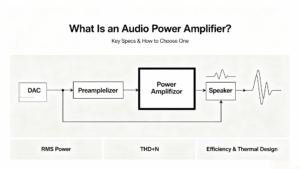
Learn what an audio power amplifier is, the differences between Class D and AB, and how to choose the right IC. Includes PCB layout tips and part recommendations. Shop at ChipApex.
View details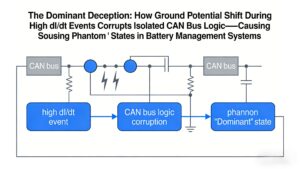
Ground potential shift during high dI/dt regen braking causes isolated CAN receivers to output false dominant states, locking EV BMS networks. Discover robust solutions like TJA1044GT/3Z + common-mode filtering validated by ChipApex.
View details
Learn how NAND flash works, its types (SLC, MLC, TLC), applications in SSDs & embedded systems, and how to source authentic, traceable ICs from trusted suppliers.
View details
The activity of extra discounts on wholesale prices is in full swing…
Please fill in your contact information and we will send you the latest wholesale price list.