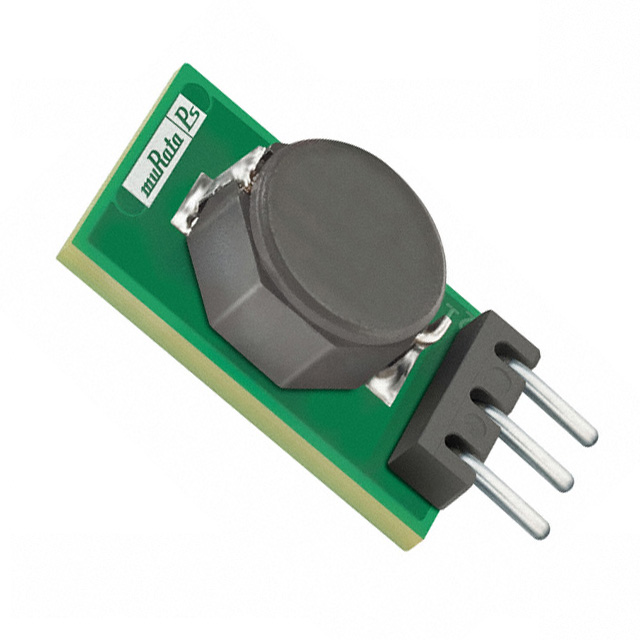
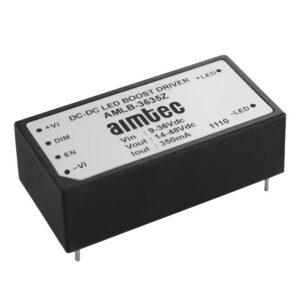
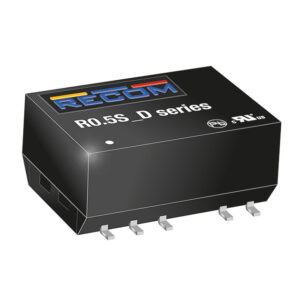
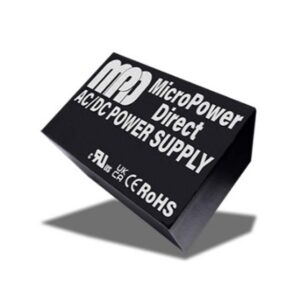
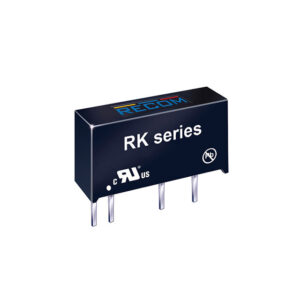
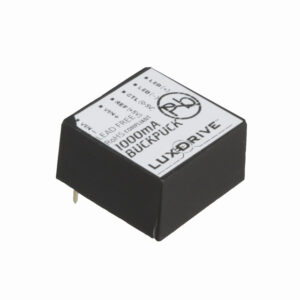
Board mount power supplies are devices used to convert electrical power from some source into a format suitable for powering some desired load, such as DC to DC Converters. These power supplies are designed to be physically and mechanically connected within an application by means of attachment to a printed circuit board. Further distinctions within the category are made according to the general nature of the transformation performed.
ScreenDefaultRankingPrice By Date
PCB Mount Power Supply: Features and Specifications
Function in the design. Board-mount supplies package power conversion around a defined footprint and pinout. Start with the role the component plays in the power rail. Match input range, output power, isolation and thermal derating. A board-mount AC-DC converter accepts an AC input and supplies one or more DC rails. On the assembly drawing, identify which part performs each function. That distinction is useful when two catalog categories have similar names.
AM1/2S-0303SH30Z at a glance. The listing for AM1/2S-0303SH30Z gives type as Isolated Module, number of outputs as 1, voltage - input (min) as 2.97V. These values apply to this ordering code. Check the manufacturer’s description before carrying them over to another member of the family. When you enter a rating in the bill of materials, copy its unit and the conditions attached to it. That gives the next engineer enough information to compare another part on the same basis.
Differences within the range. For type, AM1/2S-0303SH30Z is listed as Isolated Module and 3021-D-E-350 as Constant Current. When comparing power supplies - board mount, distinguish a property shown for an individual model from a requirement shared by the whole design. Short descriptions often omit the detail that decides whether a part fits. Check the drawing for differences that affect assembly. For differences in operation, find the corresponding row in the manufacturer’s characteristic table and read the test conditions.
PCB Mount Power Supply: Applications and Design Considerations
Typical operating conditions. They generate local rails without building the entire converter from discrete parts. For this use, specify input extremes, load steps, startup current and the heat that can leave the board. Write down the conditions at the installation site. If the bench setup reproduces only one of them, record what still needs testing in the assembled equipment. Include at least one representative operating case and the most demanding credible case in the comparison.
Integration example. The listing for 3021-D-E-350 gives topology as Buck, number of outputs as 1, voltage - input (min) as 7V. Which of those values does the existing design fix? Mark those first. The remaining values give you room to consider another part. The listing for 3021-D-E-700 gives voltage - input (max) as 32V, voltage - output as 32V (Max), current - output (max) as 700mA. For an existing interface, place its drawing next to the product record. Resolve any discrepancy while the layout can still change and before ordering parts for evaluation.
Checks on the prototype. Measure at the load as well as the module pins. Cabling, copper resistance and output capacitance influence the transient voltage the load actually sees. Record how the part was installed and what you observed. Include the operating conditions so someone else can repeat the measurement. During the power supplies - board mount check, match input range, output power, isolation and thermal derating. If the reading is near the limit, repeat the original measurement. Then vary one condition at a time to see whether the component or the setup accounts for the difference.
Selection Criteria for PCB Mount Power Supply
Define the acceptance criteria. Match input range, output power, isolation and thermal derating. Set a pass or fail limit for each critical requirement before comparing prices. For this category, useful starting columns from the catalog include type, number of outputs, voltage - input (min), voltage - input (max). Give each critical value a unit and an acceptable range. A blank field leaves an open question. Check the datasheet for that particular ordering code before entering a value in the comparison table.
Compare exact ordering codes. The listing for 3021-D-E-700 gives number of outputs as 1, voltage - input (min) as 7V, voltage - input (max) as 32V. Check the complete manufacturer part number, including suffixes, against the ordering table for the device you intend to buy. For power (watts), the respective entries for 3021-D-E-350 and 3021-D-E-700 are 11 W and 22 W. Check which of these values the assembly drawing or design specification requires. If the table gives only a typical value, look for a guaranteed limit at your operating conditions. The typical figure alone gives you little basis for rejecting a delivered part.
Prepare the purchase specification. For a quotation, identify the required power supplies - board mount by manufacturer and complete part number. If alternatives are acceptable, state which differences require engineering approval. Tell purchasing how many pieces you need, when they must arrive and which packing formats the assembly line can accept. Before approving an alternative for the power rail, compare it against the same acceptance criteria used for the original part and keep the comparison with the released bill of materials.
 ChipApex | Global Electronic Components Supplier