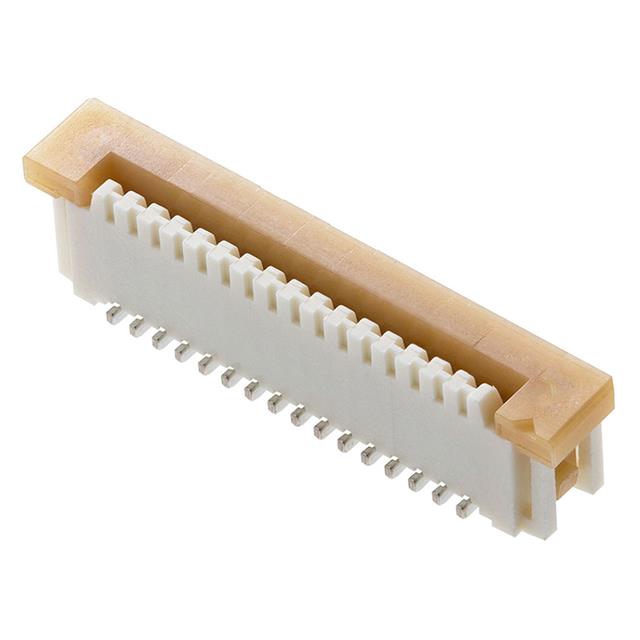
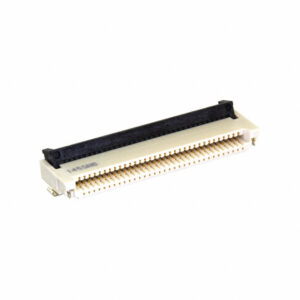
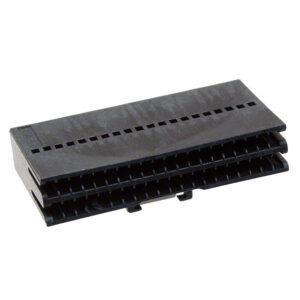
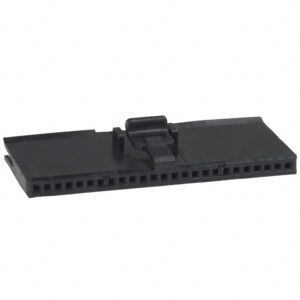
Products in this family are interconnect products used in conjunction with Flat Flexible Cable (FFC) and Flexible Printed Circuit (FPC) materials and are predominantly of the sort which perform a cable-to-board interconnect function, being mounted to a printed circuit board, and providing both electrical connection and mechanical retention for an inserted FFC or FPC cable.
ScreenDefaultRankingPrice By Date
FFC Connector: Features and Specifications
Function in the design. Flexible cable connectors vary in pitch, contact side and locking mechanism. Start with the role the component plays in the mating assembly. Check conductor count, exposed contact side and the permitted cable thickness. USB, DVI and HDMI connectors have distinct contact layouts and mechanical interfaces. On the assembly drawing, identify which part performs each function. That distinction is useful when two catalog categories have similar names.
PCB-C-04-SA-20 at a glance. The listing for PCB-C-04-SA-20 gives flat flex type as FFC, FPC, mounting type as Through Hole, Right Angle, connector/contact type as Contacts, Top and Bottom. These values apply to this ordering code. Check the manufacturer’s description before carrying them over to another member of the family. When you enter a rating in the bill of materials, copy its unit and the conditions attached to it. That gives the next engineer enough information to compare another part on the same basis.
Differences within the range. For mounting type, PCB-C-04-SA-20 is listed as Through Hole, Right Angle and 4524 as Free Hanging (In-Line). When comparing ffc, fpc (flat flexible) connectors, distinguish a property shown for an individual model from a requirement shared by the whole design. Short descriptions often omit the detail that decides whether a part fits. Check the drawing for differences that affect assembly. For differences in operation, find the corresponding row in the manufacturer’s characteristic table and read the test conditions.
FPC Connector: Applications and Design Considerations
Typical operating conditions. They connect displays, cameras and compact boards where a rigid harness is impractical. For this use, specify contact arrangement, mating direction, keying and clearance for installation or extraction. Write down the conditions at the installation site. If the bench setup reproduces only one of them, record what still needs testing in the assembled equipment. Include at least one representative operating case and the most demanding credible case in the comparison.
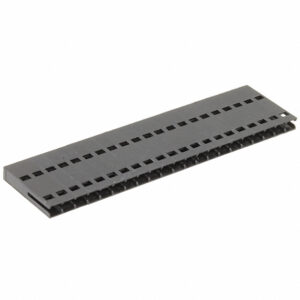
Integration example. The listing for 4524 gives mounting type as Free Hanging (In-Line), connector/contact type as Extender, number of positions as 24. Which of those values does the existing design fix? Mark those first. The remaining values give you room to consider another part. An existing assembly usually gives less freedom than a new board. For an existing interface, place its drawing next to the product record. Resolve any discrepancy while the layout can still change and before ordering parts for evaluation.
Checks on the prototype. Review drawings of both halves at the same scale. Pin one, the mating face and the board view can appear reversed between drawings. Record how the part was installed and what you observed. Include the operating conditions so someone else can repeat the measurement. During the ffc, fpc (flat flexible) connectors check, check conductor count, exposed contact side and the permitted cable thickness. If the reading is near the limit, repeat the original measurement. Then vary one condition at a time to see whether the component or the setup accounts for the difference.
Selection Criteria for Flat Flex Connector
Define the acceptance criteria. Check conductor count, exposed contact side and the permitted cable thickness. Set a pass or fail limit for each critical requirement before comparing prices. For this category, useful starting columns from the catalog include flat flex type, mounting type, connector/contact type, number of positions. Give each critical value a unit and an acceptable range. A blank field leaves an open question. Check the datasheet for that particular ordering code before entering a value in the comparison table.
Compare exact ordering codes. The listing for PCB-C-04-SA-20 gives connector/contact type as Contacts, Top and Bottom, number of positions as 4, pitch as 0.039" (1.00mm). Check the complete manufacturer part number, including suffixes, against the ordering table for the device you intend to buy. For pitch, the respective entries for 4524 and PCB-C-04-SA-20 are 0.020" (0.50mm) and 0.039" (1.00mm). Check which of these values the assembly drawing or design specification requires. If the table gives only a typical value, look for a guaranteed limit at your operating conditions. The typical figure alone gives you little basis for rejecting a delivered part.
Prepare the purchase specification. For a quotation, identify the required ffc, fpc (flat flexible) connectors by manufacturer and complete part number. If alternatives are acceptable, state which differences require engineering approval. Tell purchasing how many pieces you need, when they must arrive and which packing formats the assembly line can accept. Before approving an alternative for the mating assembly, compare it against the same acceptance criteria used for the original part and keep the comparison with the released bill of materials.
 ChipApex | Global Electronic Components Supplier